


If you’re using WhatsApp to generate leads from your website, you’re probably missing one big thing — data.
Most WhatsApp chat button plugins only let users click and chat.
But they don’t tell you:
- Where the lead came from
- Which page generated the lead
- What message the user sent
- What device they used
That’s where this plugin changes everything.
Introducing WhatsApp Chat Button with Lead Tracking
This is not just a WhatsApp button.
It’s a complete WhatsApp lead tracking system for WordPress.
With this plugin, you can:
- Track every WhatsApp click as a lead
- See the first message sent by the user
- Identify traffic source (Google, YouTube, Direct, Referral)
- Capture IP address and device info
- Know which page generated the lead
- Manage all leads inside your WordPress dashboard
- Export leads to Excel/CSV
WhatsApp Leads Dashboard (Real Data Inside WordPress)
Below is your powerful dashboard where all leads are stored and analyzed.
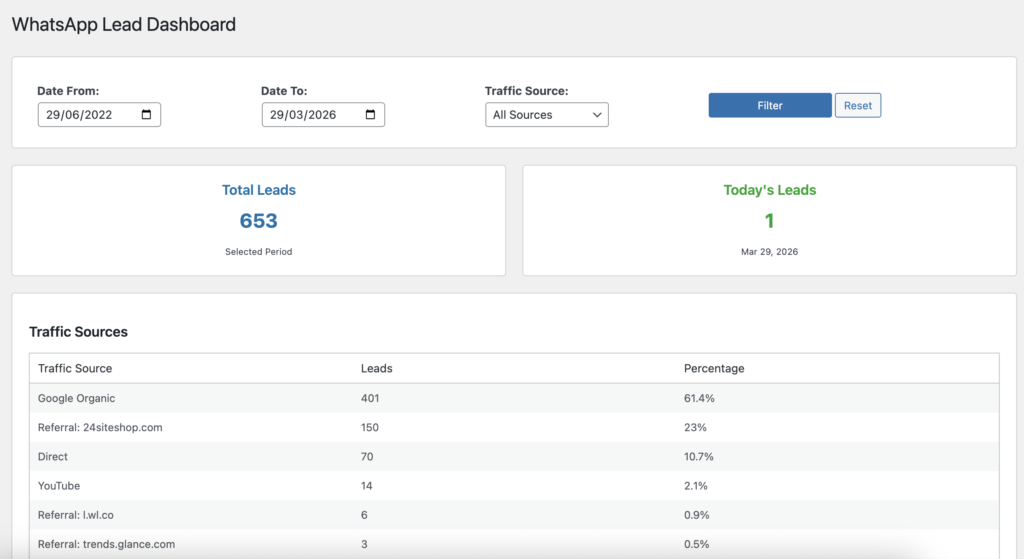
You can instantly see:
- Total leads count
- Today’s leads
- Traffic source breakdown
- Date-wise filtering
- Lead performance
This gives you a clear picture of what’s actually working.
Track Traffic Source (Google, YouTube, Direct & More)
One of the most powerful features — source tracking.
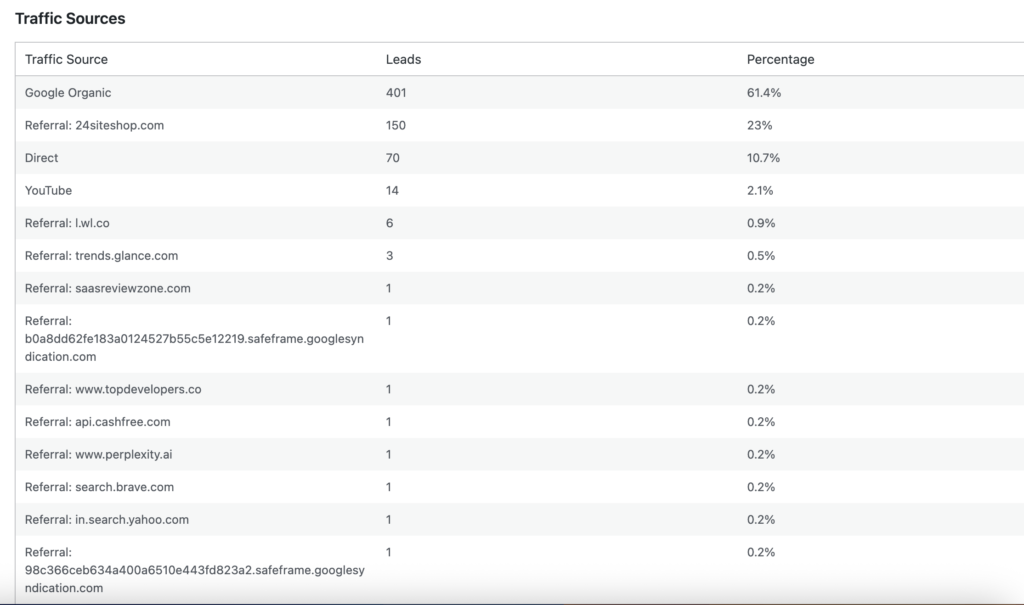
Now you can know exactly:
- How many leads came from Google
- How many came from YouTube
- Which referrals are sending traffic
- Direct vs organic performance
No more guessing — you get real data.
Capture First WhatsApp Message
Every lead includes the first message sent by the user.
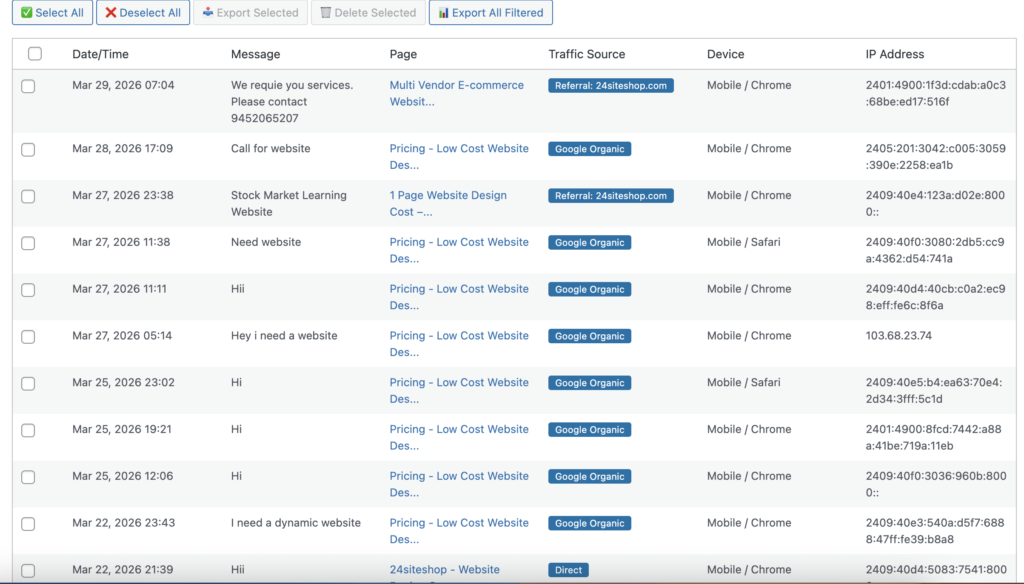
This helps you:
- Understand user intent
- Qualify leads instantly
- Improve your offers and landing pages
Lead Management System (Like a Mini CRM)
Manage all your WhatsApp leads directly inside WordPress.
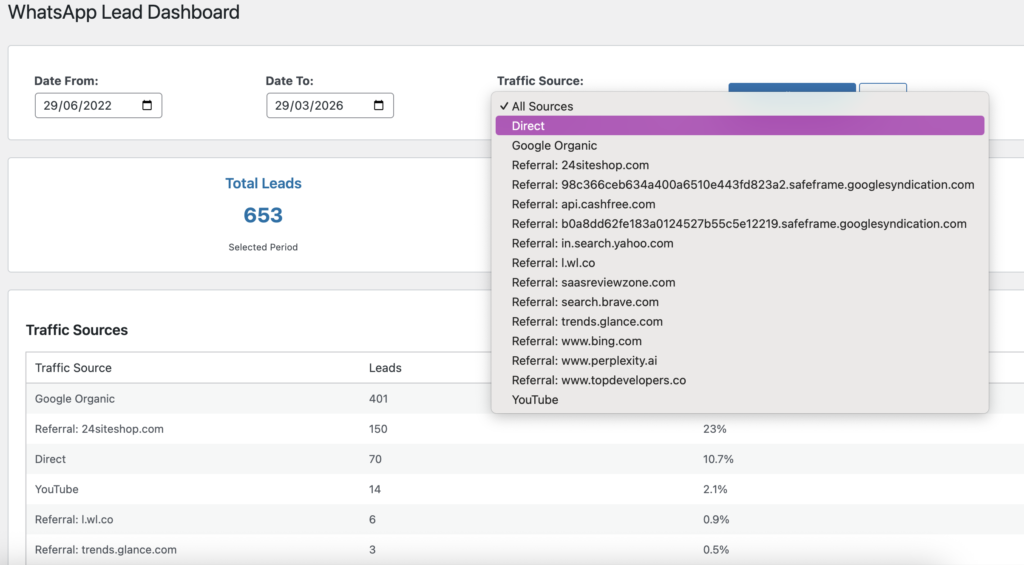
Features include:
- View all leads in one place
- Select / deselect leads
- Delete unwanted leads
- Export selected leads
- Bulk actions
This turns your WordPress into a simple lead management system.
Export Leads to Excel / CSV
Need to analyze or share data?

You can:
- Export all leads
- Export filtered leads
- Use data in Excel / Google Sheets
Perfect for agencies and reporting.
WhatsApp Chat Button Settings
Customize your WhatsApp button easily.
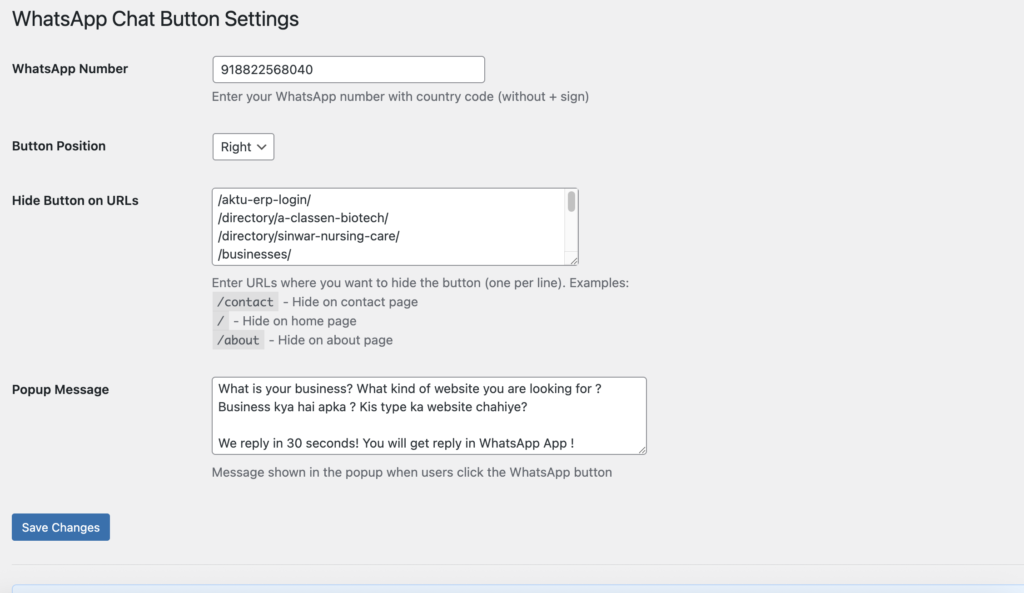
You can:
- Add your WhatsApp number
- Change button position
- Hide button on specific pages
- Add custom popup message
- Control visibility
💡 Smart Popup Message (Increase Conversions)
You can display a custom message before user clicks WhatsApp.

Example:
- Ask user what they need
- Guide them before chat
- Increase conversion rate
🎯 Why This Plugin is Different
Most plugins do this:
❌ Just show WhatsApp button
This plugin does this:
✅ Tracks leads
✅ Shows traffic source
✅ Captures first message
✅ Stores lead data
✅ Provides dashboard analytics
✅ Allows export
It’s not just a plugin — it’s a conversion tracking tool.
Perfect For
- Freelancers
- Agencies
- Local businesses
- Service providers
- E-commerce websites
- Anyone using WhatsApp for leads
⬇️ Download Plugin (Free)
Start tracking your WhatsApp leads today.
No complex setup.
Works directly inside your WordPress dashboard. Pro Tip
If you are running:
- Google Ads
- Facebook Ads
- YouTube traffic
This plugin helps you know exactly which source is converting into WhatsApp leads.
That means better decisions → better ROI.
❓ FAQs
Is this plugin free?
Yes, you can download and use it for free.
Does it work with any WordPress theme?
Yes, it works with most themes and setups.
Can I track traffic source like Google or YouTube?
Yes, it automatically tracks traffic source.
Does it store user messages?
It stores the first message sent via WhatsApp.
Can I export leads?
Yes, you can export leads in Excel/CSV format.
Final Words
If you are serious about generating leads through WhatsApp,
you need more than just a button.
You need data.
This plugin gives you:
- Clarity
- Control
- Insights
Start tracking your WhatsApp leads today and grow smarter.