

Amazon/Flipkart vs Own Website: Should Sellers Switch?
Everyone on YouTube is saying “leave Amazon and Flipkart, build your own website.” I build ecommerce websites for a living, and my answer is: don’t leave. Use both, the smart way.
 By Jogen Rabha, Founder, 24Siteshop · Updated November 2026
If you sell on Amazon or Flipkart, you have probably heard this advice many times: the commission is too high, profit is too low, so build your own website and quit the marketplace. I am a website developer. Building websites is literally how I earn. And I am still telling you: do not leave Amazon and Flipkart.
This guide is my honest take on Amazon Flipkart vs own website: what the marketplaces do really well, the problems nobody talks about, and the simple plan I recommend so the marketplace finds your new customers and your own website keeps them coming back.
Watch the full video (Hinglish). The article below covers everything in it, with extra examples.
Why You Should NOT Leave Amazon and Flipkart
Before we talk about problems, let’s be fair. Amazon and Flipkart give a small seller four things that are very hard to build alone.
Crores of ready buyers
There are crores of customers across India who need something every single day. Most of them have never heard of your website, but everyone knows Amazon and Flipkart.
Trust for payment and returns
Customers are comfortable paying online there, because if the product doesn’t fit or they don’t like it, they know the return or RTO process is handled. A new website has to earn that trust.
Delivery headache is handled
You list the product. When an order comes, their delivery partner picks it up from your place and delivers it to the customer. No courier tie-ups needed.
Money comes to your account
After delivery, the payment is settled to your bank account. You don’t have to chase anyone for money.
For a seller who is just starting, that is a huge head start. Throwing it away to sit on a brand-new website with zero visitors is usually a mistake.
Amazon and Flipkart Seller Fees in 2026 (What Changed)
The biggest complaint about marketplaces is commission. In 2026 this changed a lot for low-priced products.
Amazon: zero referral fee on products under ₹1,000
Amazon India announced that from 16 March 2026, sellers pay zero referral fee on products priced under ₹1,000, across 1,800+ categories (over 12.5 crore products), according to Amazon’s official announcement. Referral fees on many products above ₹1,000 were also reduced in some categories.
Flipkart: lower commission on many low-priced items
Flipkart has also been reducing commission on many lower-priced products. Commission on Flipkart depends on your category and price band, so check the exact rate card for your products inside Flipkart Seller Hub before you calculate your margin.
The fees that still apply
Zero referral fee does not mean zero fees. On every order you still need to account for:
- Closing fee (a fixed fee per order, depending on price and fulfilment type)
- Shipping or weight-handling charges, based on your product’s weight slab and delivery distance
- Return and RTO costs when a customer returns the product or the order comes back undelivered
- GST on these marketplace fees
As of November 2026: fee rules change often. Always confirm your current fees in Amazon Seller Central and Flipkart Seller Hub for your exact category before pricing a product.
What Your Own Website Gives You
Your own ecommerce website solves exactly the problems above. Here is what changes.
- Customer data is yours: every order gives you the customer’s name, phone, WhatsApp number, email and address, plus full analytics of what they bought.
- Repeat orders on autopilot: send repeat-order reminders, promotion messages and discount coupons. Set up automation, for example a birthday coupon or a follow-up message a few days after delivery.
- Your brand, your packaging: the store, the box and the experience carry your brand name, not the marketplace’s.
- You set the price and offers: it’s your product, so you decide the price, coupons, combo offers and discounts. No price war with 20 sellers on the same page.
- Direct traffic from ads: when you run Instagram, Meta or Google Ads, people land on your website. You can’t send that traffic directly to your store on Amazon or Flipkart in the same way.
If you want to see what ads to your own website can do, I shared my real Google Ads case study with ₹27,000 spend with all the numbers.
If you are planning a store of your own, have a look at our ecommerce website design service to see the kind of stores we build.
Marketplace vs Own Website: Side-by-Side Comparison
| Factor | Amazon / Flipkart | Your own website |
|---|---|---|
| New customers | Crores of buyers already searching | Zero at the start; you must bring them |
| Fees | Referral or commission (lower in 2026 for cheaper items), closing fee, shipping, returns | No commission; you pay payment gateway, courier, hosting |
| Customer data | Not shared with you for marketing | Phone, WhatsApp, email and address are yours |
| Branding | Marketplace brand comes first | Your brand everywhere |
| Pricing control | Price war with sellers of the same product | You set price, coupons and offers |
| Risk | Rule changes can suspend your store | You control your store |
| Ads | Needed to rank new products | Needed to get traffic, but buyers stay yours |
| Best used for | Finding new customers | Repeat customers and brand |
As you can see, it is not “one or the other”. Each one is strong exactly where the other is weak.
My Recommended Plan: Use Both, Step by Step
This is the plan I personally recommend to sellers who ask me whether they should build a website.
Start on Amazon, Flipkart or Snapdeal first
Open a seller account on whichever marketplace suits your product. Learn what sales really are: how customers behave, which listing works, what makes them buy and what makes them return.
After your first 10–12 sales, launch a small website
Once a few sales start coming, you know the product works. Now build a small, clean ecommerce website for your brand. It doesn’t need to be huge on day one.
Put a website card inside every package
Keep getting customers from the marketplace. Inside the box, add a small visiting card with your website details and an offer for the next order. For example:
Thank you for your order! 🙏Loved the product? Order again directly from our website.
FLAT 20% OFF on your next orderwww.yourbrand.com · Use code: WELCOME20 · WhatsApp: your numberKeep the design simple: your logo, website URL, the offer, and a QR code that opens your website.
Turn buyers into repeat customers on your website
When customers come back through the card, they order on your website. Now you have their details and can send offers, coupons and reminders, and they become your repeat customers.
Long term: two engines working together
The marketplace keeps bringing you new customers. Your website slowly converts them into repeat customers with better margins. Over time, more and more of your orders come from your own store.
Before you add a card to marketplace packages: read the current seller policy on package inserts and customer contact in Amazon Seller Central and Flipkart Seller Hub, and don’t include anything that violates it.
Who should NOT build a website yet
- You have no sales yet anywhere. First prove the product sells on a marketplace.
- You haven’t found product-market fit: customers return it often, or you are still testing what to sell.
- You have no budget or time to run ads or follow up with customers. A website without traffic will just sit there.
When you are ready, check our ecommerce website pricing plans. And if you dream of building your own marketplace with many sellers, that is a different project: see our multi-vendor marketplace website development.
Demo Store Walkthrough: What Your Own Website Can Look Like
To show you what “your own website” actually means, we built a sample store that works like the big marketplaces. These are real screenshots of that sample demo store. The products and orders are sample data.
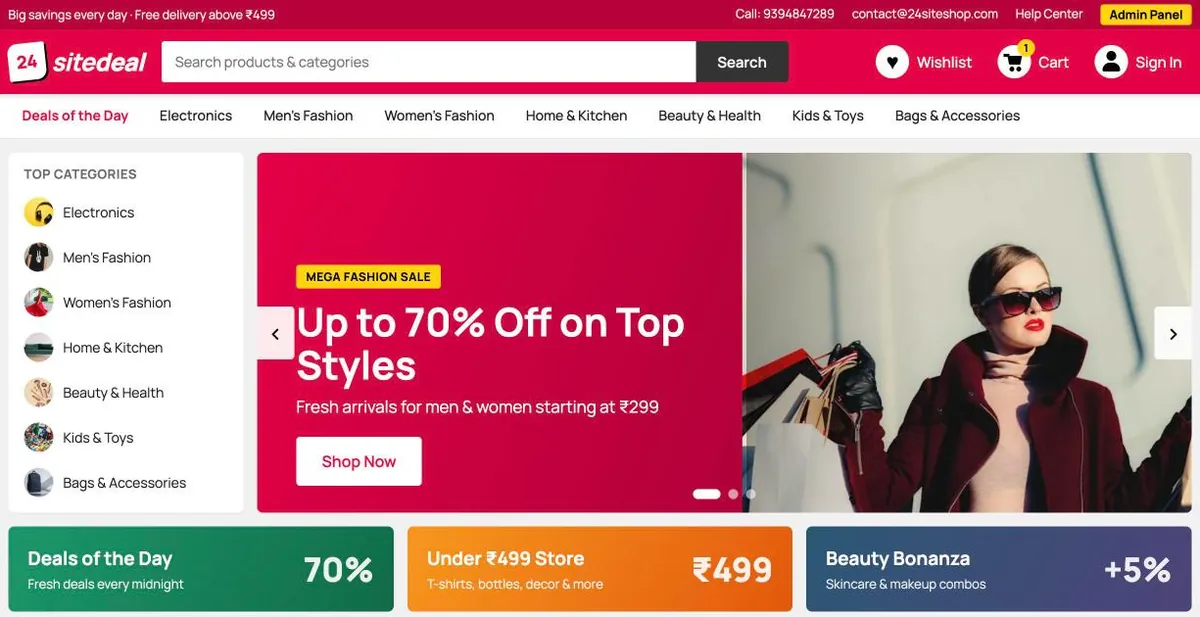
Search bar and categories. Customers can search any product or jump into a category from the left menu, just like on a big marketplace. For a seller, this means people find products fast and leave less often.
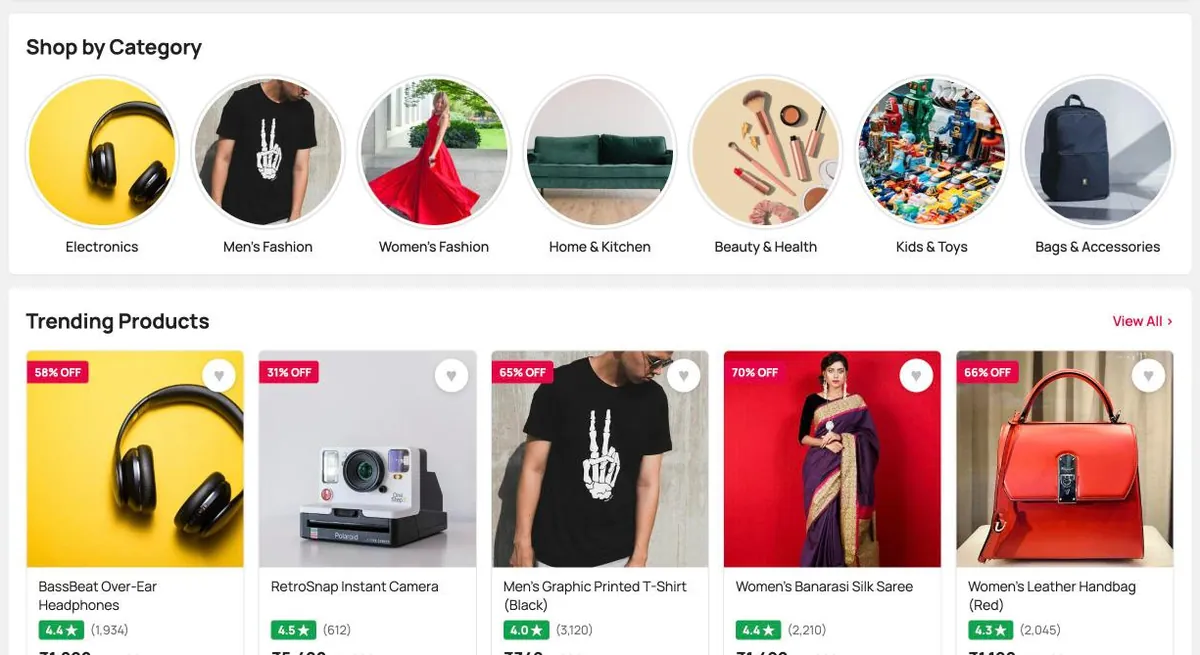
Shop by category and trending products. Category circles and a trending section push your best sellers. You decide which products get the top spots, no ads needed.
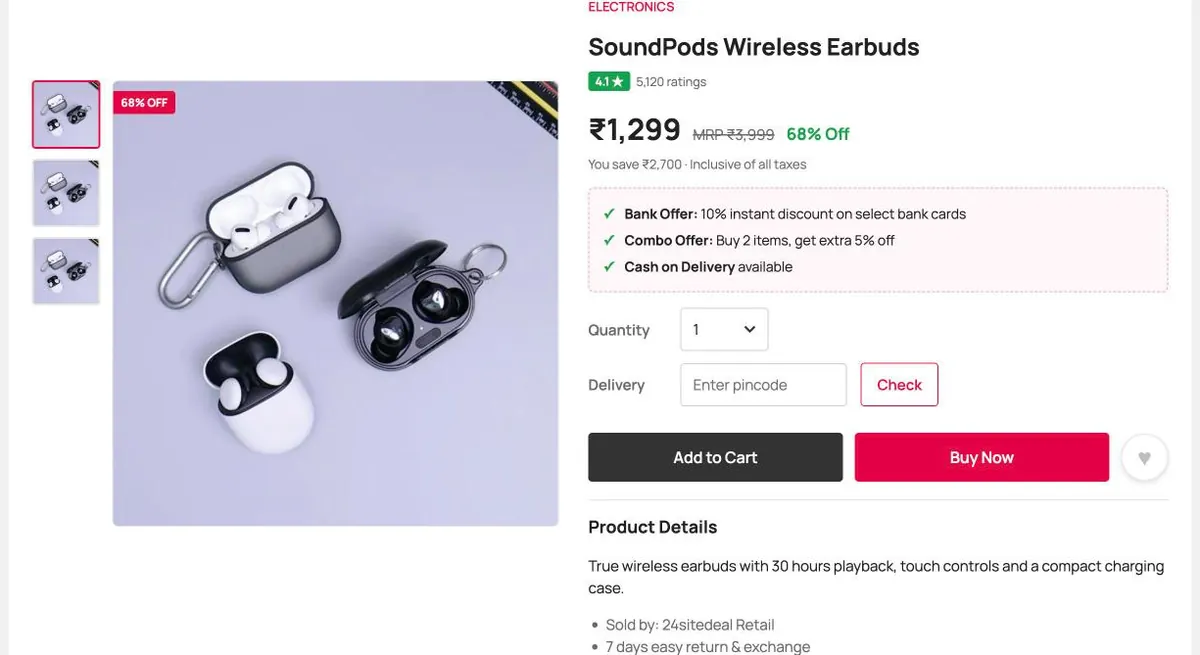
Product page with Add to Cart and Buy Now. Price, MRP, discount, offers, delivery pincode check and clear buttons. This is where you control the price and offers, not a competing seller.
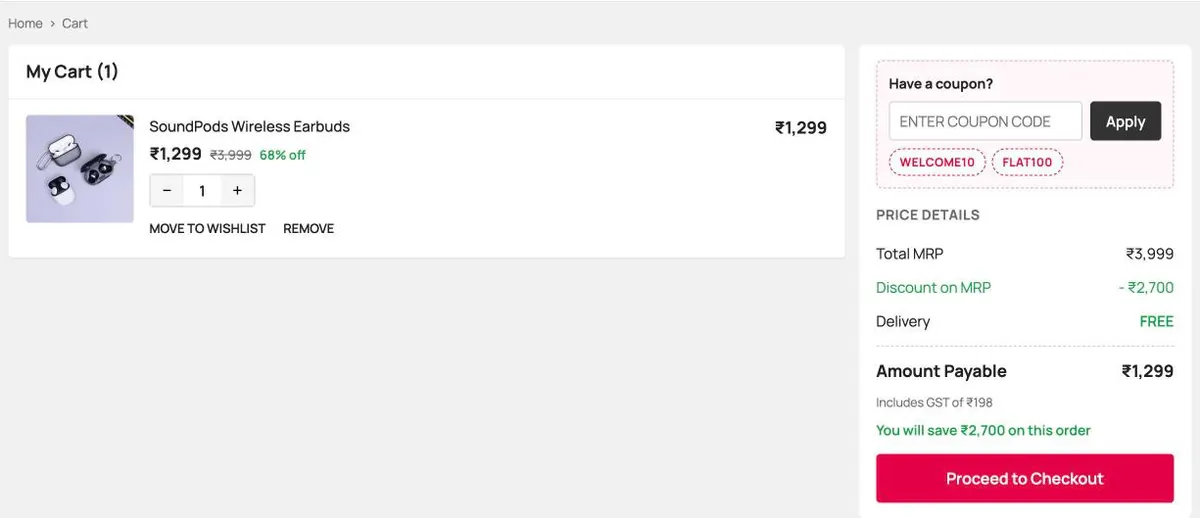
Cart with coupons. The cart shows savings and lets customers apply your coupon codes, perfect for the “20% off on your next order” card idea.
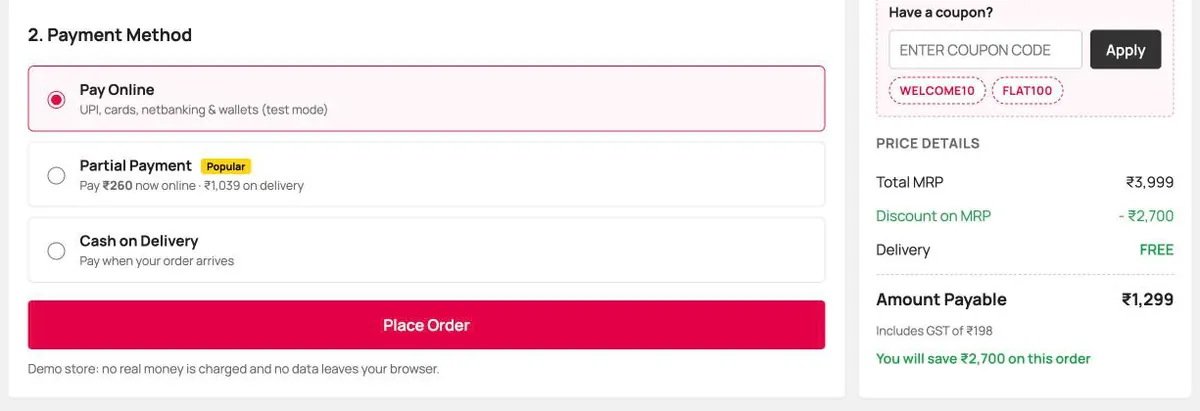
Checkout with online payment. Customers can pay online with UPI, cards or netbanking, and you can also offer partial payment or cash on delivery. Every order gives you the customer’s details.

Banners for your offers. Run your own sale banners, festival offers or new collections whenever you want.
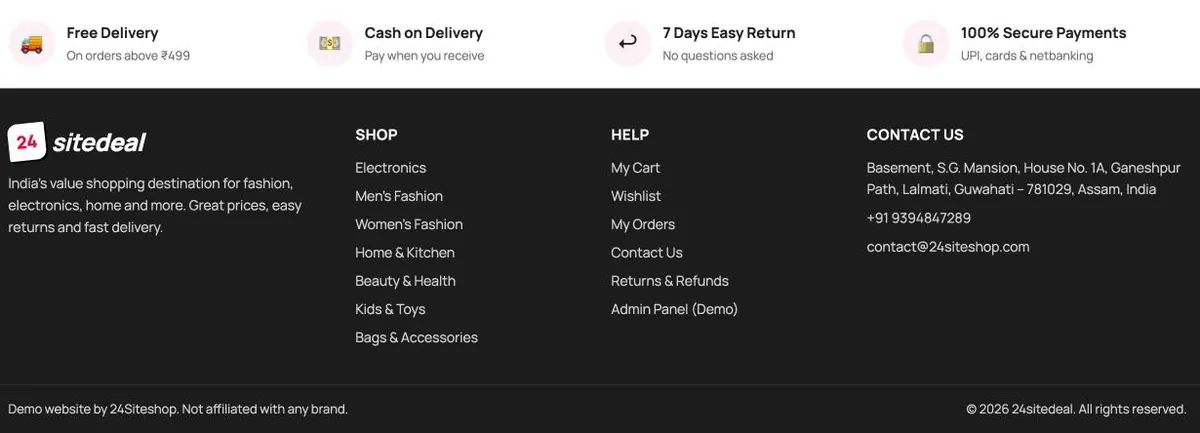
Footer with trust badges and contact. Free delivery, cash on delivery, easy return and secure payment badges build trust, and your contact details are always visible.
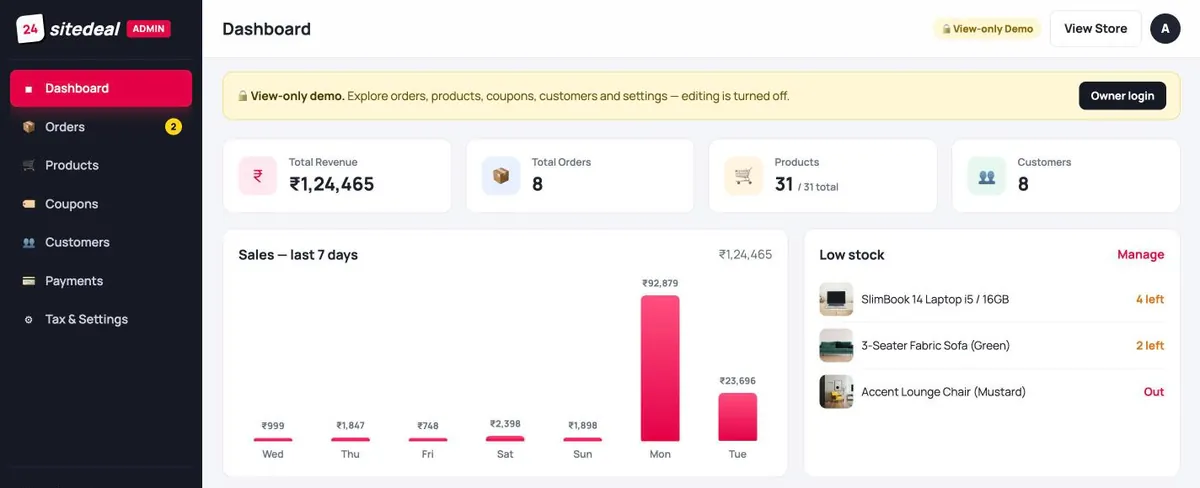
Admin panel. Behind the store, an admin panel shows revenue, orders, products, coupons, customers and payments in one place, so you run the business yourself.
Try it yourself: open the sample demo store. Use the Admin Panel link at the top of the demo to explore the admin side; the access details are shown on the demo itself.
Frequently Asked Questions
Should I leave Amazon and Flipkart and sell only on my own website?
No, not at the start. Amazon and Flipkart give you buyers who already trust them, plus delivery and payment handling. Keep selling there to find new customers, and use your own website to get repeat orders from the customers you already have.
Is it allowed to put my website card inside Amazon or Flipkart packages?
Rules on package inserts can change and can differ by marketplace and fulfilment type. Before you add any card, read the current seller policy on inserts and customer communication in Amazon Seller Central and Flipkart Seller Hub, and avoid anything that violates it. When in doubt, keep the card simple and ask seller support.
Do I still need ads if I have my own website?
Yes. A new website does not get visitors on its own. You will need Instagram, Meta or Google Ads, or SEO, to bring people to it. The big difference is that the visitors, their data and the repeat orders stay with your brand.
When is the right time to build my own ecommerce website?
Once your product is selling on the marketplace. A practical signal is your first 10 to 12 orders: by then you know the product works and you have buyers you can invite back to your website.
How much does my own ecommerce website cost?
It depends on the number of products, payment options and features you need. You can see our current plans on the ecommerce website pricing page.
Do I have to pay commission on my own website?
There is no marketplace commission on your own website. You still pay your payment gateway charges, shipping or courier charges, hosting and your ad spend, so plan for those.
About the author: Jogen Rabha
Jogen is the founder of 24Siteshop, a website development company in India. He builds ecommerce, booking and business websites for clients across India and shares honest, practical advice for sellers and small businesses on YouTube.
Ready to Turn Marketplace Buyers Into Your Own Customers?
Tell me what you sell and where you sell it today. I’ll suggest the right setup for your own store, honestly, even if the answer is “not yet”.