
If you want more leads, more sales, and more engagement from your website, you must learn how to use CTA buttons to increase clicks. Most business owners focus heavily on website design, colors, content, or layouts, but forget to pay attention to the single most important conversion element — Call to Action (CTA) buttons.
Strong CTA buttons guide your visitor, tell them what to do, reduce friction, and push them toward taking the action you want — whether it is filling out a form, calling your business, buying a product, or downloading something valuable.
In this detailed guide, you’ll learn how to use CTA buttons to increase clicks using proven psychology, design strategies, and call to action website tips. Whether you have an existing website or you’re planning a new one with 24siteshop, these methods will help you increase conversions instantly.
Before we begin, if you want expert website help, check our services:
Website Development & Design: https://24siteshop.com/website-development-and-design-services-in-guwahati/
Shopify Website Plan: https://24siteshop.com/shopify-website-plan/
Google Ads Service: https://24siteshop.com/google-ads-service/
Facebook Ads Services: https://24siteshop./facebook-ads-services/
Hosting: https://24siteshop.com/hosting/
WhatsApp Business Marketing: https://24siteshop.comcom/whatsapp-business-marketing/
Website Maintenance Plan: https://24siteshop.com/website-maintenance-plan/
Now let’s get into the complete guide.
What Are CTA Buttons and Why Are They Vital for Conversions?
CTA buttons are clickable elements that encourage users to take a specific action — like “Buy Now”, “Request a Quote”, “Call Us”, or “Download”. Understanding how to use CTA buttons to increase clicks can transform your website performance instantly.
Here’s why CTAs matter:
- They give clear direction to visitors
- They reduce confusion
- They increase conversions
- They help focus user attention
- They improve your website’s user experience
- They guide visitors deeper into your sales funnel
This is why learning effective call to action website tips is essential for every business owner.

10 Proven Call to Action Website Tips to Boost Clicks and Conversions
Below are the top strategies on how to use CTA buttons to increase clicks using modern design psychology and user behavior insights.
1. Use Action-Driven Words in CTA Buttons
A CTA must tell the user exactly what to do. Action-oriented text increases clarity and results in more clicks.
Examples:
- “Download Free Guide”
- “Get Your Quote”
- “Start Your Trial”
- “Call Now +91 9394847289”
This is one of the simplest yet most powerful call to action website tips because strong verbs create urgency and drive immediate action.
Use clear, direct, and positive words — avoid weak CTAs like “Submit”.
2. Make CTA Buttons Visually Stand Out
If visitors cannot see your CTA instantly, they will not click. The key in how to use CTA buttons to increase clicks is visibility.
Here’s how to make CTAs stand out:
- Use contrasting colors
- Increase button size
- Add white space around the CTA
- Use bold fonts
- Keep the CTA above the fold
Your CTA should be the first thing users notice on the page. Many websites fail simply because their CTAs are hidden or small.
This is one of the core call to action website tips you must follow.
3. Put Your CTA Where Users Expect It
Placement influences conversion significantly. When learning how to use CTA buttons to increase clicks, think like your visitor.
Best placements:
- Top banner
- Middle of the page
- End of sections
- After explaining benefits
- Sticky CTA on mobile
- Header section
Every scroll depth should have at least one CTA option.
Following these call to action website tips ensures your visitors do not struggle to find the next step.
4. Use Only One Primary CTA Per Section
Adding too many CTAs confuses visitors. Instead, keep one strong action in every fold.
Example:
Section 1 CTA: “Book Your Website Consultation”
Section 2 CTA: “View Our Portfolio”
Section 3 CTA: “Call Now +91 9394847289”
Mastering this rule is essential for understanding how to use CTA buttons to increase clicks effectively. It eliminates choice overload and improves decision-making.
5. Add Social Proof Next to CTA Buttons
Adding proof near CTA buttons makes visitors trust your action more.
Examples:
- “Trusted by 1,000+ clients”
- “100% Money-back guarantee”
- “Rated 4.9/5 by customers”
- Testimonials
- Client logos
Social proof is one of the most effective call to action website tips because it builds instant credibility and reduces hesitation.

6. Use Urgency and Scarcity to Motivate Action
People take faster action when they feel they might miss something.
Examples you can use:
- “Offer ends tonight”
- “Only 5 spots left this month”
- “Limited-time discount”
- “Join before registration closes”
If you want to master how to use CTA buttons to increase clicks, understanding urgency psychology is critical.
These simple call to action website tips can increase button clicks instantly.
7. Optimize CTA Buttons for Mobile Users
Over 75% of website traffic is mobile in many industries. CTA buttons must be easy to tap.
Mobile CTA tips:
- Make buttons bigger
- Keep enough padding
- Use sticky bottom bar CTA
- Ensure fast loading
- Keep mobile minimalistic
Mobile optimization is a major part of how to use CTA buttons to increase clicks, and yet most websites ignore it completely.
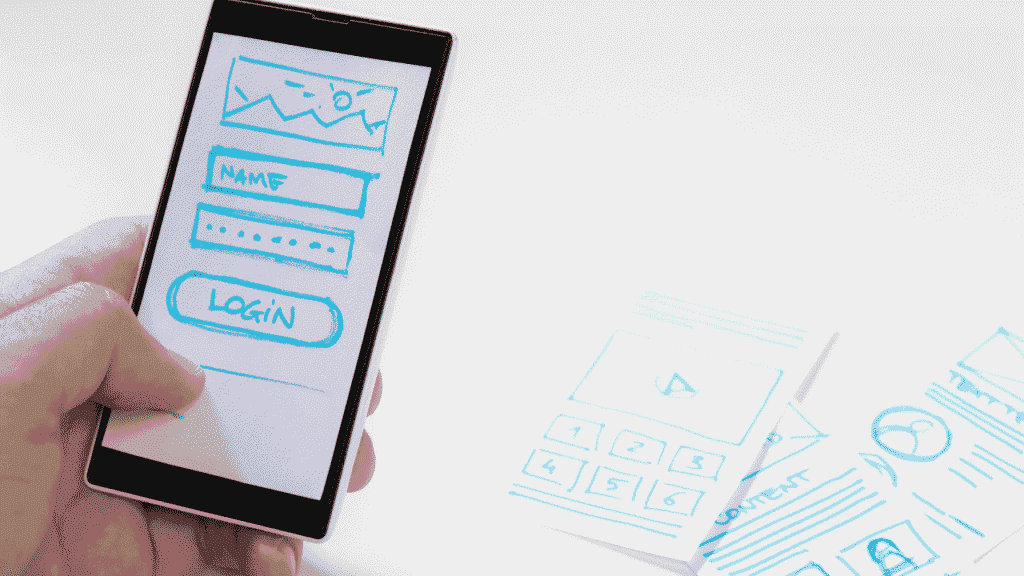
8. Use Multiple CTA Types for Different User Intent
Not every visitor is ready to buy immediately.
Offer CTAs for different stages:
- Awareness stage: “Learn More”
- Consideration stage: “Get Free Demo”
- Decision stage: “Buy Now” or “Call Us”
This is one of the smartest call to action website tips because it captures different user types instead of losing them.
9. A/B Test CTA Buttons Regularly
Small changes can create massive improvements. If you want to truly master how to use CTA buttons to increase clicks, test the following:
- Button color
- Button text
- Placement
- Shape (rounded vs sharp)
- Font size
- Icons
- White space
A/B testing helps you continuously improve and create high-converting CTA buttons.
Use these call to action website tips frequently to outperform competitors.
10. Use Emotion-Focused CTA Messaging
Emotion drives decisions more than logic.
Examples of emotional CTAs:
- “Grow Your Business Now”
- “Transform Your Sales Today”
- “Boost Your Website Results”
- “Start Your Success Journey”
Emotional triggers are at the heart of how to use CTA buttons to increase clicks, especially when selling services or high-value products.

Bonus Section: 5 CTA Mistakes You Must Avoid
Even if you follow great call to action website tips, these mistakes can kill your conversion rate:
- CTA buttons that blend into the background
- Using the same CTA everywhere
- Weak or unclear button text
- Placing CTA only at the bottom
- Not optimizing for mobile
Fixing these mistakes alone can double your clicks.
CTA Button Examples You Can Use on Your Website
To help you implement how to use CTA buttons to increase clicks, here are ready-to-use CTA texts:
- “Book Your Free Consultation”
- “Get Instant Quote Now”
- “Call Us Today: +91 9394847289”
- “Start Your Project”
- “See Our Pricing Plans”
- “Download Free Checklist”
- “Get Website Strategy Plan”
These CTA button examples are crafted using proven call to action website tips used by successful businesses.
Where Should You Add CTA Buttons on Your Website?
Here’s a quick placement checklist based on how to use CTA buttons to increase clicks:
- Hero banner
- Services page
- Pricing section
- Portfolio page
- Blog sidebar
- Top navigation
- Contact page
- Pop-ups
- Exit-intent prompts
- Bottom sticky bar
These call to action website tips ensure your visitor never gets lost while browsing your site.
How CTA Buttons Increase Sales and Leads Automatically
CTA buttons guide your visitor through your funnel. Here’s how they improve conversions:
- Increase trust
- Reduce friction
- Highlight value
- Save time
- Make next steps clear
- Boost mobile conversions
This is why every modern digital strategy focuses on how to use CTA buttons to increase clicks effectively.
Need Professional CTA Optimization? Hire 24siteshop
If you want your website, landing page, and marketing funnel to convert better, 24siteshop can help with:
- High-converting website design
- Landing page development
- Shopify store building
- Google Ads setup
- Facebook ads
- WhatsApp marketing automation
- Reliable hosting
- Website maintenance
Service links again for easy access:
Website Design: https://24siteshop.com/website-development-and-design-services-in-guwahati/
Shopify Plan: https://24siteshop.com/shopify-website-plan/
Google Ads: https://24siteshop.com/google-ads-service/
Facebook Ads: https://24siteshop./facebook-ads-services/
Hosting: https://24siteshop.com/hosting/
WhatsApp Marketing: https://24siteshop.comcom/whatsapp-business-marketing/
Maintenance Plan: https://24siteshop.com/website-maintenance-plan/
You can contact 24siteshop directly:
Phone: +91 9394847289
Email: contact@24siteshop.com
Final Thoughts
CTA buttons may look small, but they are the most powerful elements on your website. Once you understand how to use CTA buttons to increase clicks, you will see a major improvement in conversions, inquiries, and sales.
Use all the above call to action website tips, place CTAs strategically, design them boldly, write compelling text, and test them regularly.
With these techniques, your website will guide visitors smoothly and push them to take the action that grows your business.